Consistent, correct email signatures for every mailbox in every tenant
Signatures are built as each message is sent, from the sender's details in Microsoft 365. Change a job title in Microsoft 365 and the very next email is right, with nothing to edit or republish.
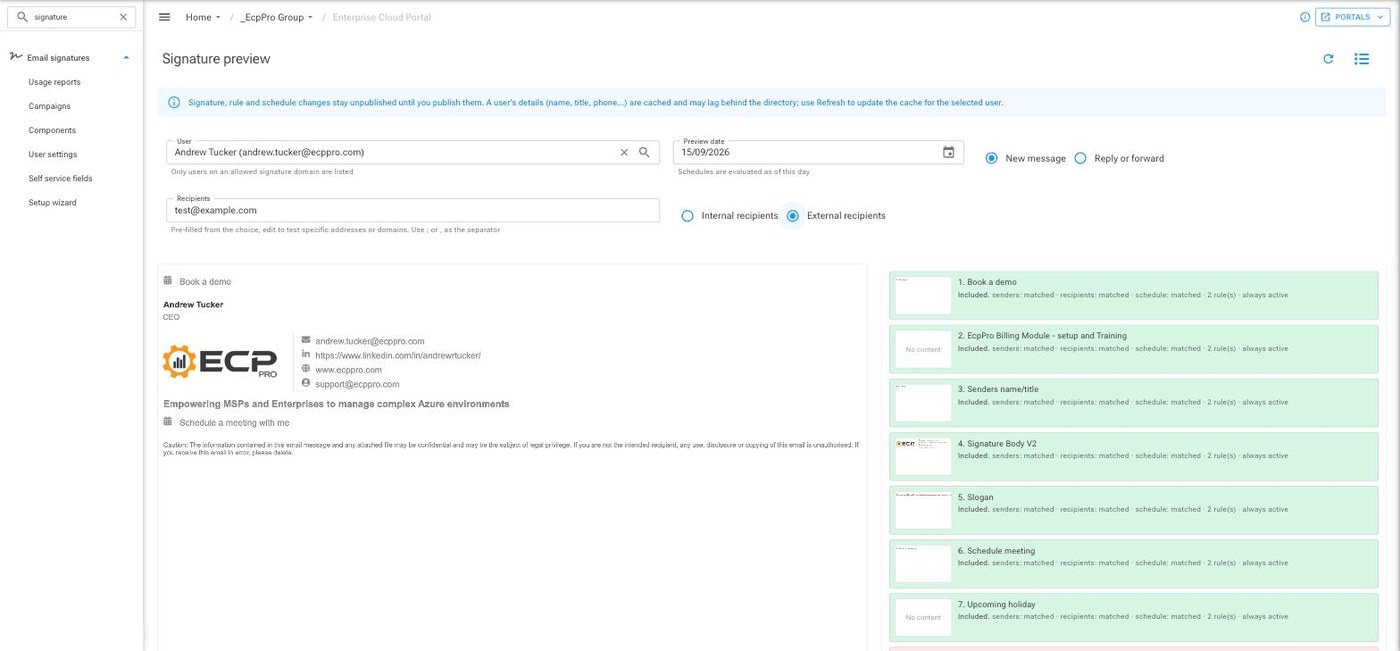
How a signature comes together
From Microsoft 365
Name, title, phone, photo and more are read from Microsoft 365, with anything set in EcpPro merged on top.
Rules decide
Components stack by sender, group or department, internal or external recipients, and new messages or replies.
Schedules
Limit a component to a date range or weekly window for seasonal messages and holiday notices.
Empty fields disappear
No stray labels or blank lines when someone has no mobile number.
Publish when ready
Changes stay as drafts until you publish, and you can preview as any user first.
Self service fields
Staff fill in the fields you enable, such as a booking link or an upcoming holiday.
On every device, from every mailbox
- Outlook add in for Windows, Mac, web, iPhone and Android
- Server side signing for everything else sent from the mailbox, including phones, scanners and shared mailboxes
- Banner campaigns inside the signature, with clicks counted
- One click star ratings recipients answer from the email itself
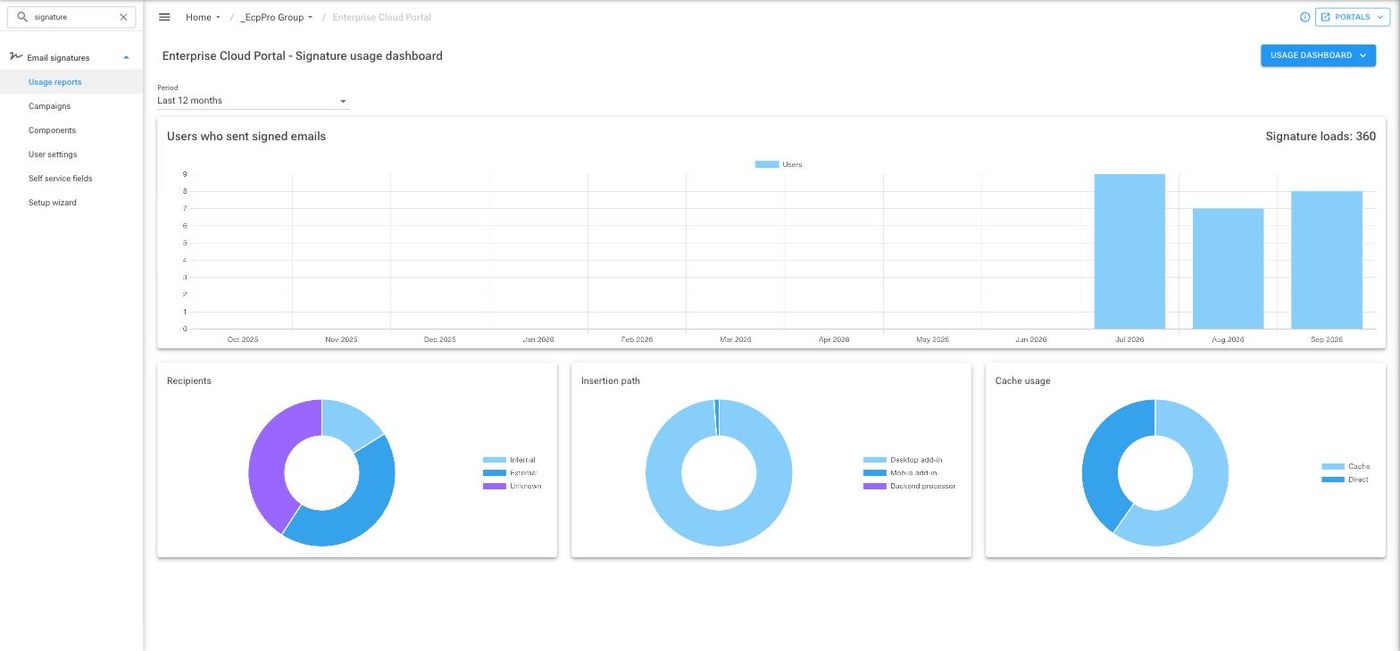
- Usage reporting that shows who is sending signed email and how
Simple pricing that gets better with volume
One rate applies to every active mailbox, and it steps down as you grow. An active mailbox is one that has sent mail in the month.

See signatures on your own tenant
We are always happy to show you how it looks for one of your clients.