Essential Eight and Microsoft 365 compliance across every client tenant
Set your security baseline once, apply it to every tenant, and see straight away where a setting has drifted. Put it right in a click, or let EcpPro put it right for you.
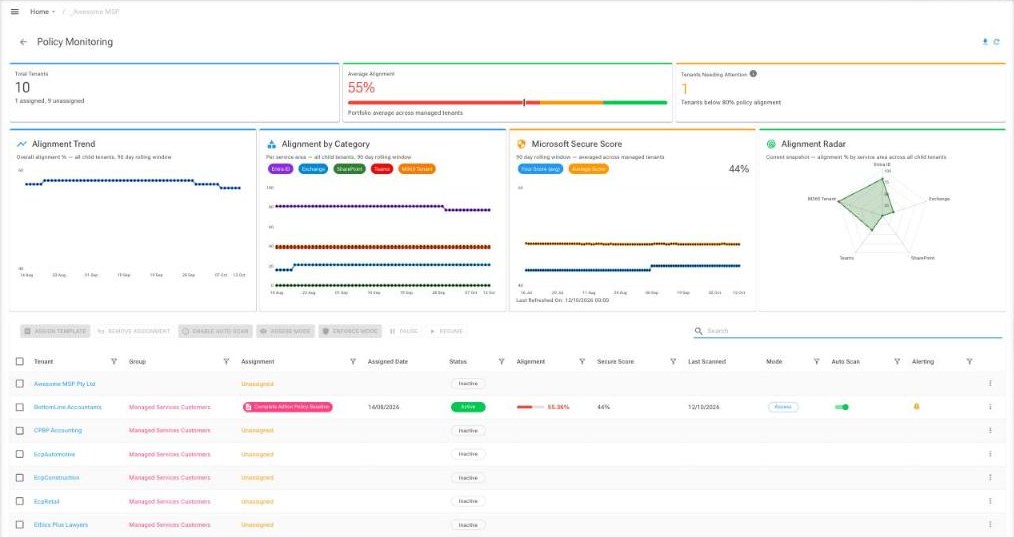
All the settings you hold as standard, checked for you
Every MSP has a list of settings it likes to see in every tenant: mailbox auditing on, legacy authentication off, DKIM enabled, and dozens more. Ad Hoc Policy turns that list into a template, applies it to the tenants you choose, and keeps checking.
When a setting changes, you know about it. When a client asks how their environment measures up, you have the answer ready.
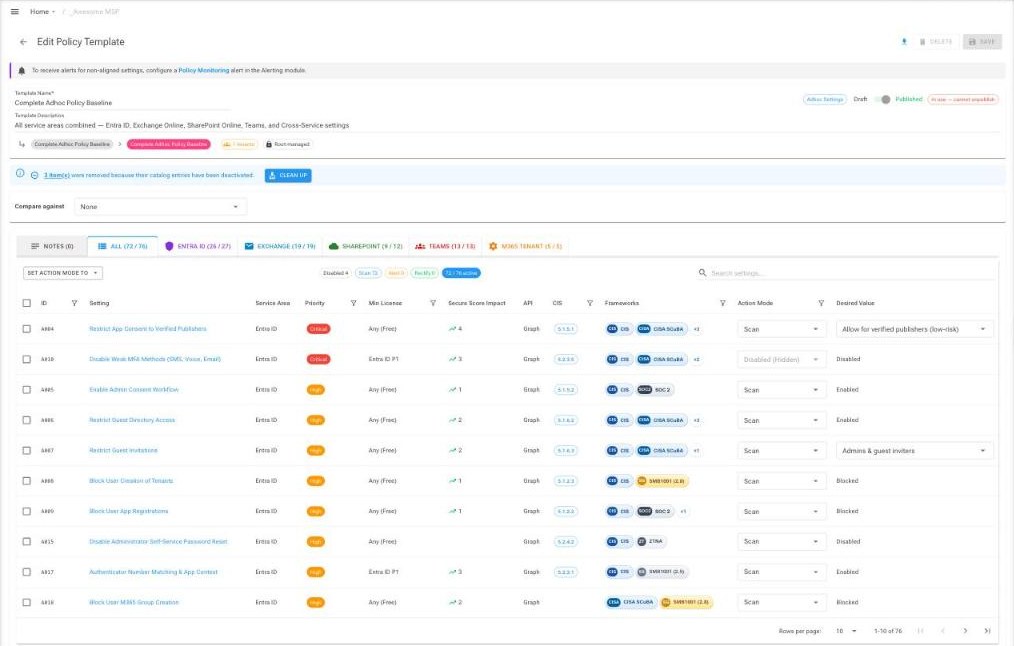
Three steps from baseline to confidence
Build your baseline
Start from EcpPro's baseline of more than 70 settings across Entra ID, Exchange, SharePoint, Teams and tenant wide settings.
Assign it to tenants
One template for every client, or different templates for different client types, assigned once through template groups.
Stay in step
Choose Scan to report, Alert to be told when a setting drifts, or Rectify to have EcpPro put it right once the tenant is in Enforce mode.
Mapped to the frameworks clients ask about
Settings are mapped to frameworks including Essential Eight, CIS, NIST and CISA SCuBA. The Essential Eight also covers controls outside Microsoft 365, such as application control and patching; Ad Hoc Policy looks after the Microsoft 365 settings that support it.
Two key safety
A setting is only corrected automatically when it is marked Rectify and the tenant is switched to Enforce. Until then EcpPro scans and reports only, so you can validate results first.
A growing compliance story
| Module | Price | Available |
|---|---|---|
| Ad Hoc Policy (base) | See pricing | Now |
| Conditional Access | See pricing | January 2027 |
| Intune | See pricing | April 2027 |
| Defender | See pricing | July 2027 |
Billed per managed tenant. Prices for Azure Marketplace and Dicker Data partners are on the pricing page.
See your own baseline in action
We are always happy to walk you through it and set up a baseline together.